
Updated Nov 7, 2026 · By William ZZ, Founder
AI rap generator: at a glance
- It generates four rhyming lines, the vocals and the beat, all in English.
- Two people trade lines, so it feels like a duet rather than a solo; a Solo mode lets one person rap all four lines.
- Topics and generated lyrics are checked against a word list of profanity, slurs, violent phrases and selected public-figure names; the filter does not catch every harmful phrase.
- The output is a 12-second vertical video with an AI-generated tag in its file data. A Fast video costs 17 credits and failed renders get their credits back.
How to make an AI rap video in 6 steps
- Add your photos. Choose Two photos (one selfie per person), One photo of both (the person on the left raps first) or Solo. Use clear, front-facing photos of adults who agreed to appear, at least 300 px on the short side.
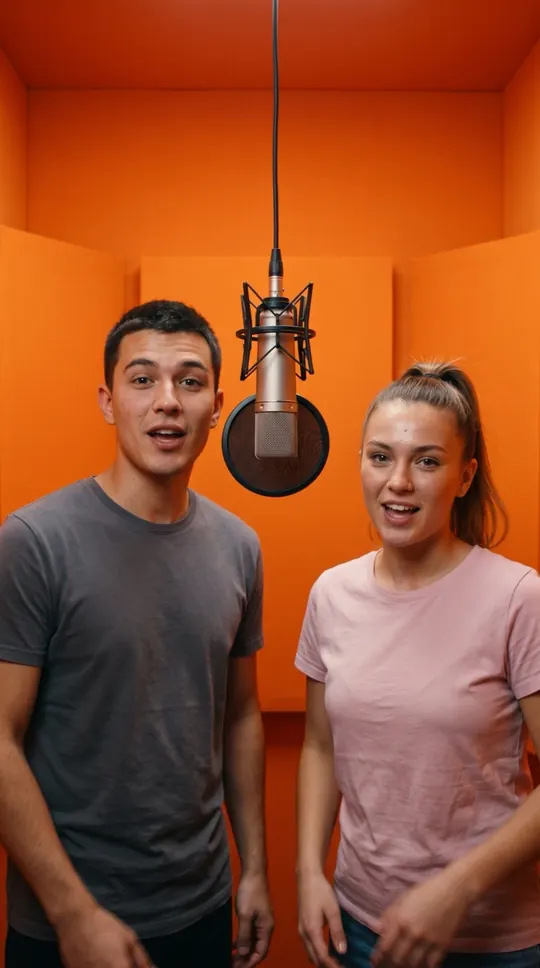
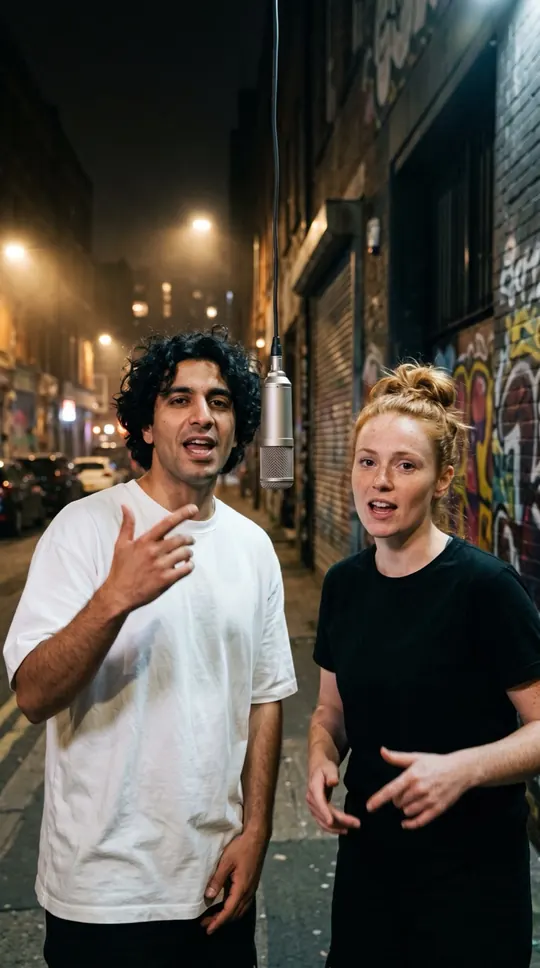
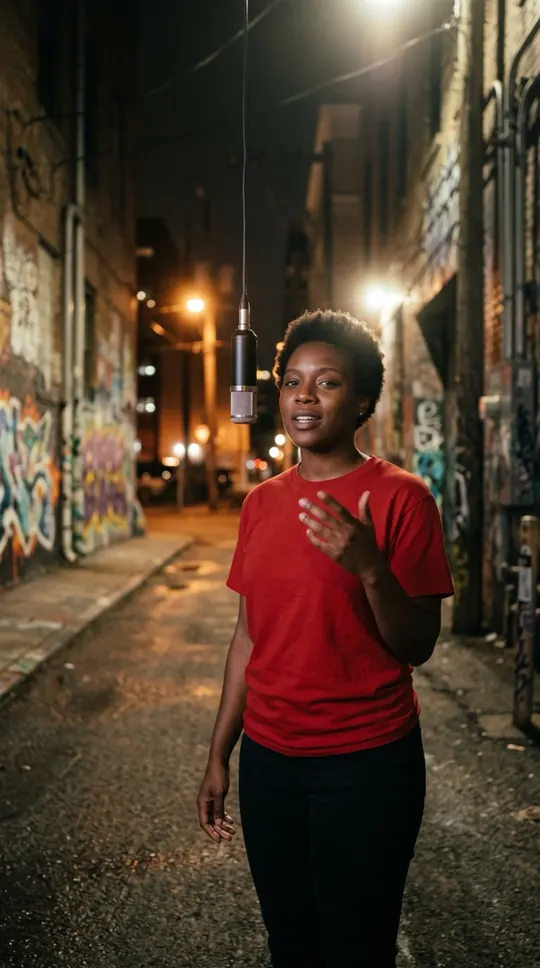
- Pick a stage. Orange Booth, Luxury Lobby, Studio Booth, Street Cypher or Street Freestyle. The first four have one hanging microphone; Street Freestyle is filmed like a phone clip outside a restaurant.
- Choose quality. Fast is 720p, 12 seconds, 9:16, for 17 credits. Tap “Change model or quality” for Standard, the highest quality, for 30 credits.
- Add names and the occasion (optional). Type a short topic of up to 120 characters, such as “Maya’s 30th, always late for cake”. Leave it empty and a default verse is used.
- Make the video. Press “Make our rap video” (or “Make my rap video” in Solo). You are asked to sign in at this point, not before; photos you added stay in the browser and upload after sign-in.
- Download and post. Rendering takes about four minutes and the video also appears under My videos. Press Download video to save the MP4; it fits TikTok, Instagram Reels and YouTube Shorts without cropping.
What the AI rap generator makes
One 12-second, 9:16, 720p music video: four original lines, generated vocals and a beat, and the people in your photos lip-synced on the stage you picked (two people, or one in Solo mode). It is a short performance clip, not a full-length song, a beat maker or an editor for music you upload.
How the AI writes the rap lyrics
The lyric model gets your topic as inspiration only and follows fixed rules (table below): four lines, two rhyming couplets, at most 12 words a line, English, playful and clean. With two people, the first two lines are yours and the last two belong to your partner; in Solo mode one person raps all four. A default verse is used when no topic is given, lyric generation fails or the lyrics match the word-list filter. You cannot type your own lyrics.
Rap topic ideas: friends, family, teams and creators
Lead with a name and one specific detail: “Jordan, best cook in the family”, “Sam turns 40”, “our road trip that got lost twice”. Specific topics give better rhymes than one word like “birthday”. A small, harmless conflict works best because each person gets a side: parents vs. kids on screen time, two gamers on the best console, rival sports fans before the match, roommates on the dishes. Teams can do a shout-out for a launch or a colleague’s farewell, and creators can use it as a 12-second hook for TikTok, Reels or Shorts. With a topic, every new render writes new lines, so a second take gives a different verse (it costs credits again). Names are written into the lyric prompt, but the exact wording is not guaranteed, and names of famous people are blocked. For a friendly face-off, use the AI rap battle generator; for a party greeting, use the birthday rap song page.
Try the AI rap battle generatorAI rap generator vs AI rap voice and lyric tools
Lyric generators give you text only, and AI rap voice tools give you an audio track. WakePix makes the video: your faces, the stage, the vocals and the beat in one clip. It does not clone or copy a real voice, does not imitate real artists or existing songs, and does not export a separate audio file. The beat is set by the stage, not chosen: a boom-bap hip-hop beat on Orange Booth, Luxury Lobby, Studio Booth and Street Cypher, and a Latin dembow street beat on Street Freestyle. The rap voices are generated for each video; there is no voice picker.
Video specs, sharing and the AI label
The clip is 9:16 and 720p, so it fits TikTok, Instagram Reels and YouTube Shorts without cropping. It has no visible watermark and carries an AI-generated tag in its file data. Please keep the AI-generated label when the platform asks for it.
Troubleshooting: photos, names and failed renders
Photo not accepted: every photo passes an automatic check that rejects celebrities, public figures, children, nudity or no clear person. Photo too small or rotated: use at least 300 px on the short side and re-save it upright. Faces look off: use well-lit, front-facing photos without sunglasses or heavy filters. Render failed: the credits go back to your balance automatically, including renders unfinished after 30 minutes.
What it does not do
Do not request imitations of real artists or existing songs, or upload photos of celebrities, public figures or anyone under 18. Use photos of consenting adults; you confirm that both people agreed to appear in the video.
AI rap lyric rules at a glance
These are the rules the lyric model is given for every English verse, copied from the generator’s settings, plus the limits the site enforces on input and output.
| Rule | Setting |
|---|---|
| Lines per verse | 4: lines 1–2 for the first person, lines 3–4 for the second (Solo: one person raps all four) |
| Line length | At most 12 words per line; anything over 140 characters is cut |
| Rhyme scheme | Two couplets: line 1 rhymes with 2, line 3 with 4 |
| Language | English |
| Topic field | Optional, up to 120 characters, used only as inspiration |
| Tone | Positive, playful and friendly; no profanity, slurs, violence or insults at real people |
| Never included | Real artists, celebrities, brands, TV shows, song titles, quoted lyrics, URLs, handles or phone numbers |
| Fallback | A fixed default verse when the topic is empty, generation fails or the word-list filter matches |
Source: WakePix lyric-generation prompt and input limits, checked in the code on 4 November 2026.
Specs and limits
These limits come from the product's current settings. Results vary by photo and by AI model, and the pricing page has the latest prices.
- Output
- 12-second 9:16 vertical video at 720p. Vocals, beat and lip-sync are generated by the video model, so quality varies by photo
- Photos needed
- Two, one person per photo; or one photo of you both side by side; or one photo for a solo rap. Uploads are JPG, PNG or WebP up to 10 MiB and at least 300 px on the short side; on phones, HEIC photos are converted in the browser first
- Who can be in the photos
- Adults (18+) who agreed to appear. You confirm this when you upload; celebrities, public figures and minors are not allowed and are checked automatically
- Lyrics
- Four lines in English (two per person), written from an optional topic of up to 120 characters. A default verse is used when no topic is given or lyric generation fails
- Fast model
- 17 credits per video; the app estimates about 4 minutes to render
- Standard model
- 30 credits per video; the app estimates about 4 minutes to render
- Failed renders
- Credits are taken once a render request is accepted. If a render fails, or is still unfinished after 30 minutes, the credits are returned to your balance automatically
- Usage limits
- Up to 2 renders at the same time and 20 renders per rolling 24 hours per account; failed renders do not count toward the daily limit
- Photo storage
- Uploaded photos are scheduled for automatic deletion 30 days after upload; photos rejected for sexual content are deleted at once, and photos rejected for other reasons are kept privately for up to 7 days for a human review, then deleted
- AI disclosure
- Videos are tagged as AI-generated in their file data. WakePix adds no visible watermark, and platforms may not read the tag
- Cost per video
- Our calculation from the pricing page on 8 November 2026, counting only whole videos: a Fast video (17 credits) costs from about $3.33 (Pro monthly plan: $39.90 ÷ 12 videos) to $9.90 (a single one-video pack). Standard (30 credits) costs more per video. Unused credits that expire raise the real cost; the pricing page has the full table
- Sources
- Specs, limits and storage rules: WakePix code, checked 4 November 2026. Prices: the WakePix pricing page, checked 8 November 2026.
More ways to use it: AI rap battle generator, Birthday rap song, Rap duo name generator or Hotel lobby AI video.

 Apple Pay
 Google Pay