
 Jack Shi
The best photos for an AI rap duo video are two separate, front-facing, well-lit selfies with one clear face each and nothing covering the eyes or the mouth. They do not need to be taken together. WakePix rejects photos of celebrities or public figures, anyone under 18, nudity or explicit content, and pictures with no face, a group of people or a cartoon.
TL;DR
- Use: one recent selfie per person, looking at the camera, evenly lit, head and shoulders in frame.
- Match: keep both photos at a similar distance and brightness so the two performers look like they share a stage.
- Avoid: sunglasses, heavy filters, hats that shade the eyes, a hand or mask over the mouth, group shots and screenshots of other photos.
- Never upload: celebrities, public figures, anyone under 18, or anyone who has not agreed.
This guide covers what a good duo photo looks like, how to match the two photos, and what happens to a photo that fails the automatic check. If you want the full workflow first, read how to make a hotel lobby AI video.
The photo checklist
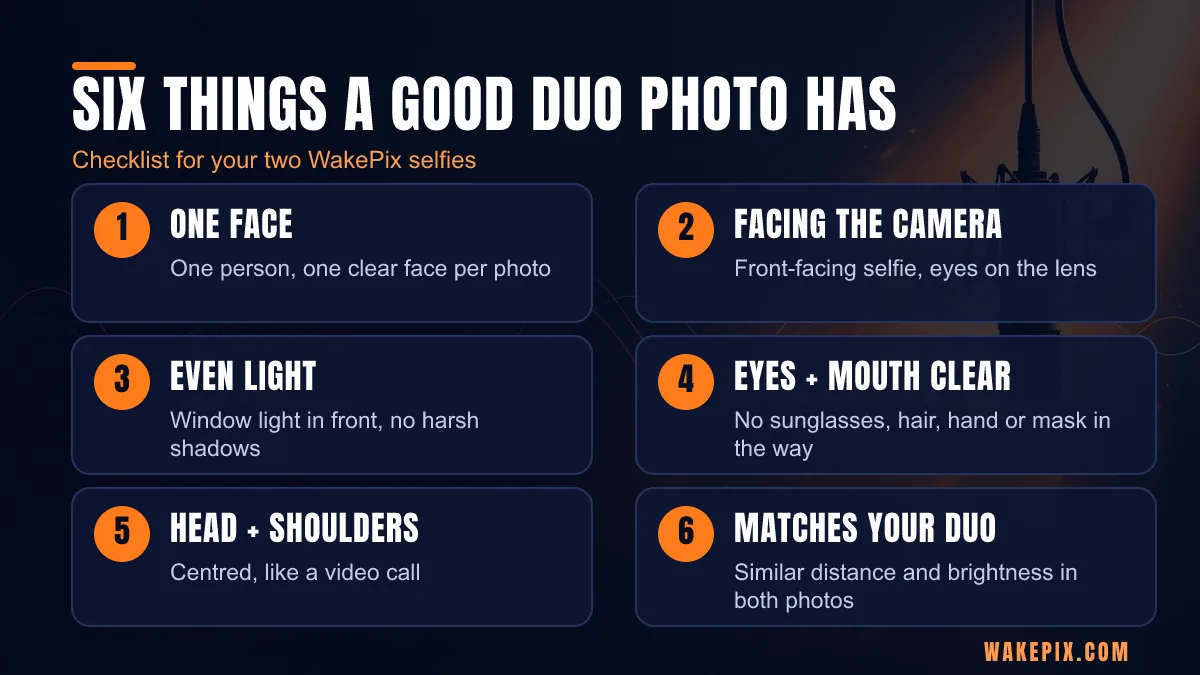
- One face per photo. Each person needs their own picture. A photo with two faces breaks the one-face-per-photo rule, so use a solo shot of each person.
- Looking at the camera. Front-facing selfies work best. The generator animates the mouth to match the lyrics, so it needs a clear view of it.
- Even light. Natural light from a window in front of you beats a lamp behind you. Harsh shadows across half the face leave the model less to work with.
- Eyes and mouth visible. No sunglasses, no hair across the eyes, no hand, mask or microphone in front of the mouth.
- Head and shoulders. Fill the frame the way a video call does. A tiny face far away or a face cropped at the forehead is harder to use.
- Recent and sharp. Use a photo that looks like you today, not a blurry screenshot or a photo of a screen.
These are practical rules of thumb for any photo-to-video tool, in addition to the requirements WakePix publishes on its page: front-facing, well-lit selfies, one clear face each, and no sunglasses, heavy filters or group shots.
Match the two photos to each other
A rap duo looks best when the two people seem to stand in the same room. Because the photos can come from different places and times, it helps to line them up on purpose:
- Distance: take both selfies at arm's length, with the phone at eye level.
- Brightness: if one photo is bright and the other dim, retake the dim one near a window.
- Framing: keep both at head-and-shoulders, centred, with some space above the head.
- Mood: pick expressions that fit a rap verse. A relaxed, confident look suits most stages.
The two photos do not need to be taken together, so friends in different cities can still make a duo. Send each other a quick reference photo and agree on the framing.
What a clean frame looks like
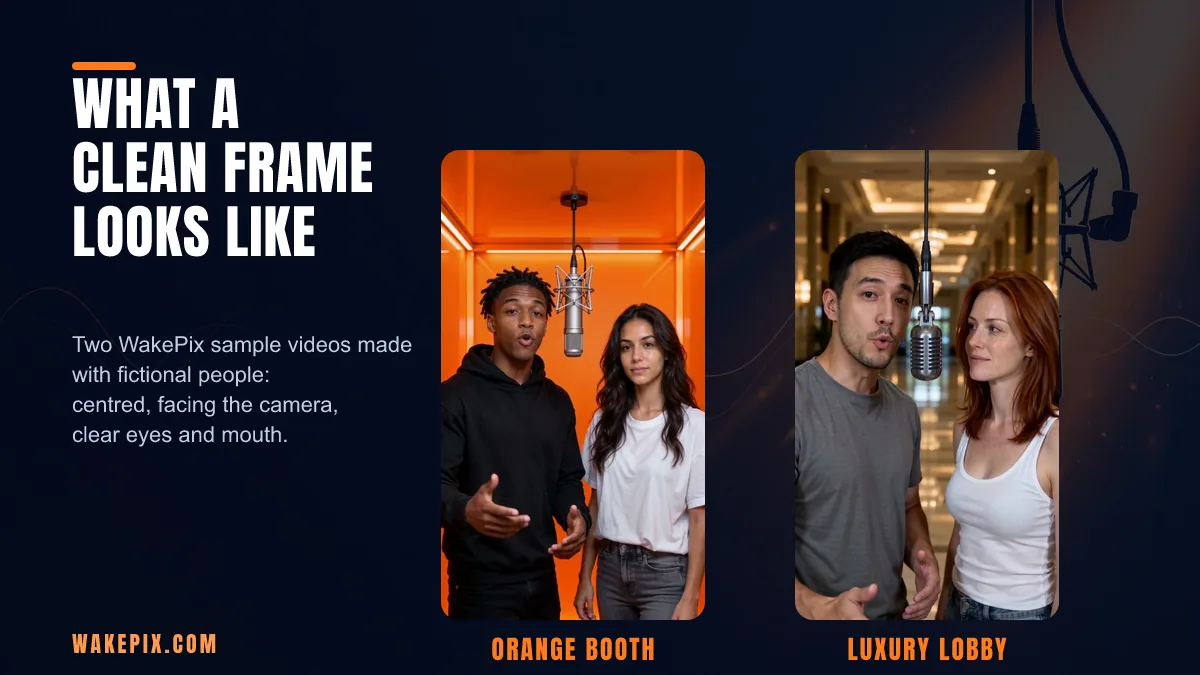
The image above shows two of WakePix's own sample videos, made with fictional people. In both, each performer is centred, faces the camera, and has clear eyes and mouth. The AI works from your photos, so the clearer your inputs, the more it has to work with. Pair your photos with a stage in the same spirit: the bright Orange Booth suits clean, well-lit selfies, while darker stages like Studio Booth and Street Cypher are a good fit for moodier portraits.
Photos that get rejected
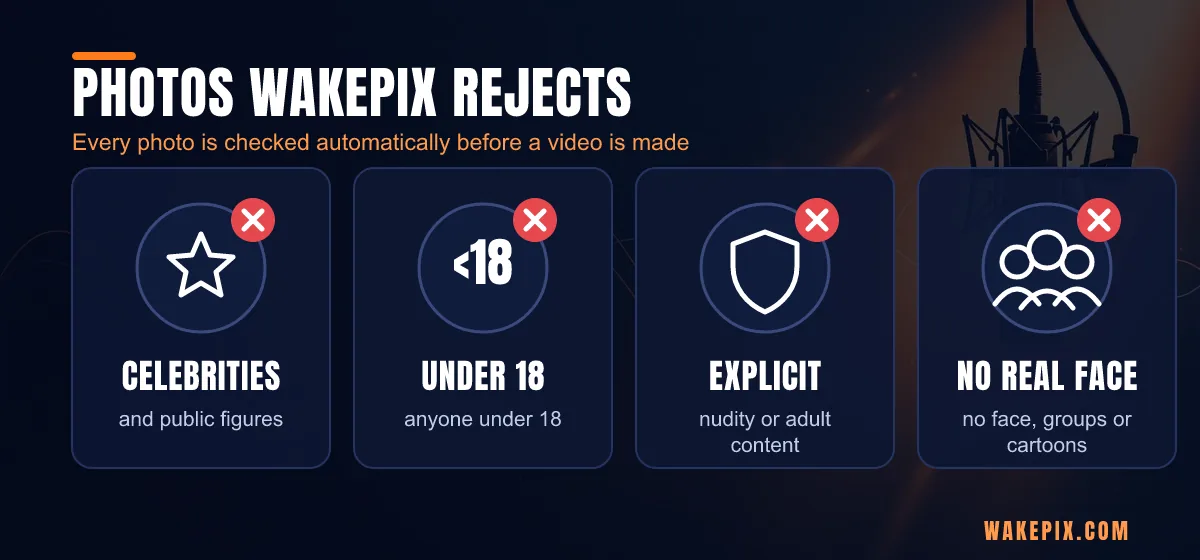
Every photo is checked automatically before a video is made. These categories are not accepted:
- Celebrities and public figures. Use a photo of yourself or of an adult friend who agreed.
- Anyone under 18. The service is for adults only; pressing the button confirms you are 18 or older.
- Nudity or explicit content. WakePix does not allow adult content in any form.
- No face, group shots or cartoons. The tool needs one real face per photo.
You also confirm that you have permission from everyone in the photos. If a friend has not agreed to appear in a rap video, choose someone else or ask first. The Acceptable Use Policy explains the rules and how to report a problem.
What happens to a photo that fails
Photos that fail the automatic check are deleted within 7 days. Photos rejected for reasons such as "may show a minor" or "no person found" are kept privately for up to 7 days so a person at WakePix can check whether the automatic review was correct, and then deleted automatically. If a photo is rejected, choose another selfie that meets the checklist above.
Common photo mistakes
- Sunglasses or a cap brim shading the eyes. The face is half hidden before the AI starts.
- Heavy beauty filters. They smooth the face into something that no longer looks like you.
- A hand, mask or drink near the mouth. The mouth has to move with the lyrics, so keep it clear.
- Ultra-wide close-ups. A phone held very close distorts the face.
- Low-resolution screenshots. Download the original photo instead of a screenshot of a chat.
- A photo of both of you cropped to one person. Crops often leave part of the other person in the frame, and the photo still has to show one clear face. Take a fresh solo photo instead.
What happens to your photos
Uploaded photos are deleted automatically 30 days after upload, or earlier if you ask. The privacy policy has the details, including how to request an earlier deletion by email.
Ready to try it
Creating an account is free, and so is setting up your video: adding photos, picking a stage and previewing the lyrics. Rendering uses credits: a Fast 12-second video costs 17 credits and the higher-quality model costs 30. Failed renders are refunded automatically. See pricing for packs and plans, or open the AI rap duo generator and add your two photos. Need a title for your duo first? Try the rap duo name generator. Making one for a birthday? Start with the birthday rap song page.
FAQ
Can I use an old photo?
Yes, as long as it looks like the person today and meets the checklist: one clear, front-facing, well-lit face with nothing covering the eyes or mouth. A recent photo usually matches best.
Can I use a photo of both of us together?
No. Each person needs their own photo with one clear face. A picture with two faces does not meet the one-face-per-photo rule, so take a separate solo photo of each person.
Do the two photos have to be taken together?
No. They can be taken in different places and at different times, so friends in different cities can still make a duo.
Can I use a photo of a teenager or a celebrity?
No. Photos of anyone under 18, celebrities and public figures are not accepted, and you must confirm that everyone shown is an adult and has agreed.
How long are my photos kept?
Uploaded photos are deleted automatically 30 days after upload, or earlier if you ask. Rejected photos are kept for up to 7 days at most.
Ready to try it? Make your rap duo video.