🎤 Day of the Dead

AI Día de Muertos Video: Marigolds and Candlelight

Celebrate the Day of the Dead, Día de Muertos. Upload one photo and WakePix makes a brand-new 12-second clip: elegant festive calavera face paint, a marigold crown and a warm candlelit courtyard, with an original acoustic guitar track. Add a second photo to celebrate together.

1 Add your photo

Photo 1 · You

Tap to add a clear selfie

Photo 2 · optional

To do it with someone else

One photo is enough for this effect: just you, or add a second person. No celebrities, minors or nudity. Rules

2 Pick an effect
3 Pick quality & length

This video: 17 credits · No sign-up needed · try it once from $9.90

By pressing “Make the effect” you confirm you are 18 or older, you have permission from everyone in the photos, and you agree to the Terms and Acceptable Use Policy.

No sign-up needed · Ready in about 4 minutes · Failed renders are refunded

Play with soundThe calavera paint
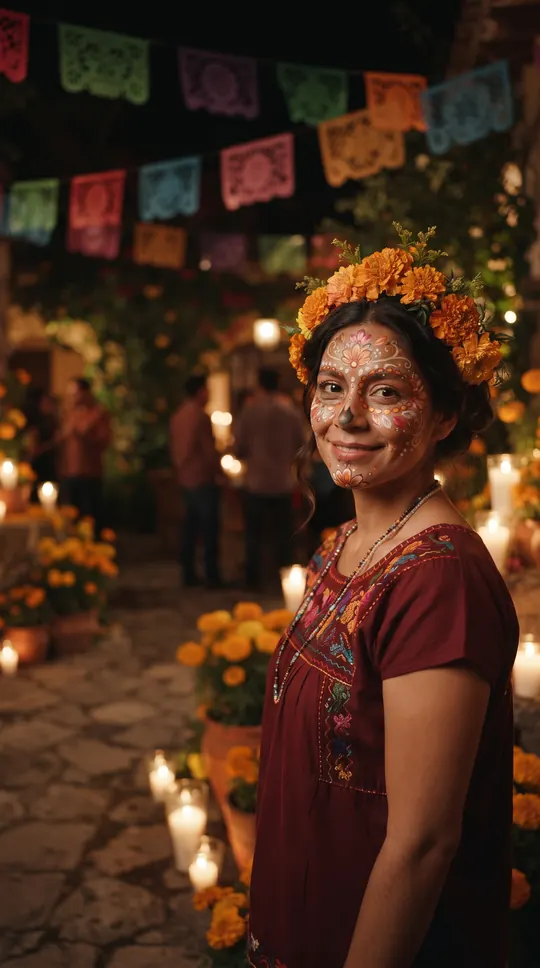
Marigold crown and folk-…Marigold crown and folk-…
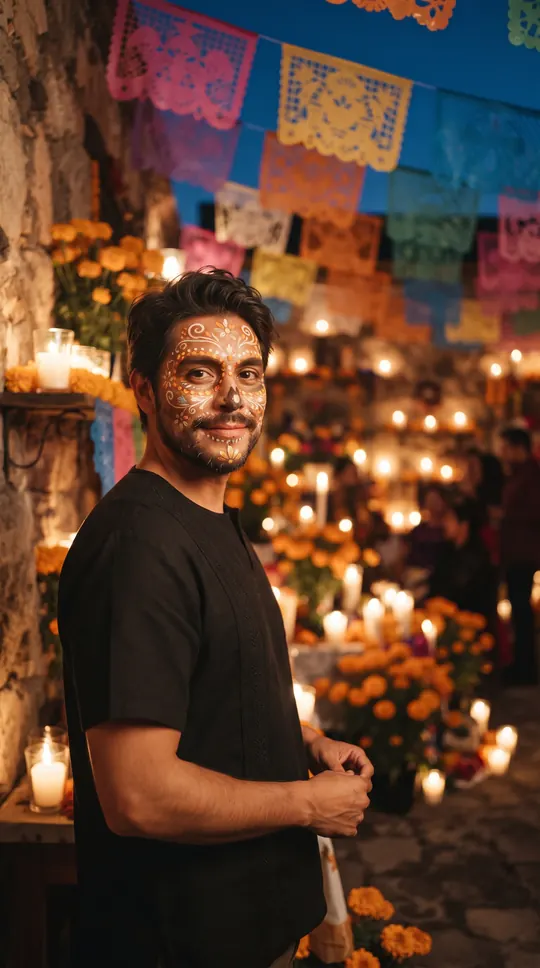
Papel picado and candlel…Papel picado and candlel…
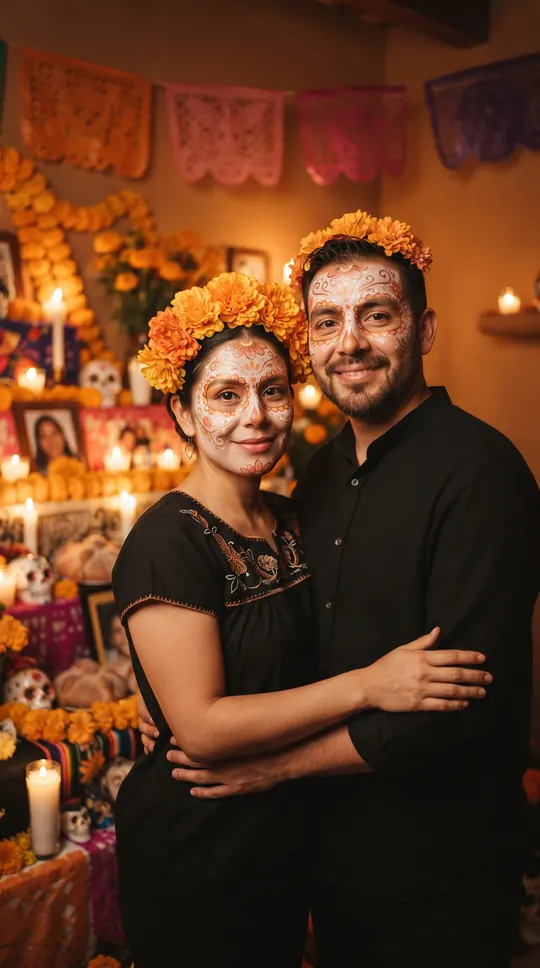
Celebrating side by sideCelebrating side by side
Made with WakePix

Day of the Dead samples

Sample scenes made with fictional characters. Your video uses your own photos.

Sample video: the calavera paint, marigolds and candlelight, AI-generated.
Día de Muertos effect: a fictional woman with elegant folk-art calavera face paint and a marigold flower crown in a candlelit courtyard, AI-generated
Marigold crown and folk-art paint, AI-generated sample.
Day of the Dead effect: a fictional man with festive folk-art calavera face paint under papel picado banners, AI-generated
Papel picado and candlelight, AI-generated sample.
Día de Muertos effect: a fictional couple with folk-art calavera face paint beside a marigold-decorated ofrenda, AI-generated
Celebrating side by side, AI-generated sample.

AI Día de Muertos video: at a glance

  • One photo of you is enough. Add a second photo, or one photo of you both, to do it together.
  • Nothing to type: the Día de Muertos scene and its original music come with the effect.
  • A 12-second vertical 9:16 clip at 720p, ready in about four minutes.
  • Only photos of yourself or of adults who agreed to appear. Failed renders are refunded automatically.

How to make a ai día de muertos video

  1. Add your photo. One clear, front-facing photo. Add a second one to do it with someone.
  2. Keep Día de Muertos selected. This page opens the Effects tab with it already picked.
  3. Make the effect. Download the clip when it is ready and post it.

What happens in the Día de Muertos clip

You stand in a warm candlelit courtyard strung with colorful papel picado and clusters of orange marigolds. A gentle sparkle adds elegant folk-art calavera face paint in flowers, swirls and dots, your clothes become a plain festive outfit with a marigold crown, and you smile at the camera and sway as petals drift past. It is one warm take; the scene and the music are original to this effect, and AI results vary from video to video.

When people use it

A Día de Muertos post, a festive family photo turned into a short clip, an ofrenda-season greeting for friends, or a seasonal reel.

Photos that work best

Use a clear, front-facing photo of an adult (18+) that you have the right to use, with no celebrities or public figures. Add a second photo and you celebrate side by side; the face paint, marigolds and courtyard are added by the effect. The photos guide the characters; likeness may vary from render to render.

More effects

Every effect works the same way: photos in, a short wordless scene out. The effects page lists them all.

All AI video effects

More ways to use it: AI Día de Muertos pet video, AI Halloween costume or AI video effects.

FAQ

AI Día de Muertos video: questions

Is the video scary?

No. It is warm and festive: marigolds, candlelight and papel picado, with elegant folk-art face paint. There are no real skulls or skeletons and nothing frightening.

Is it based on a real movie or character?

No. It builds an original Day of the Dead scene from your photo and does not copy any film, character or real person. Photos guide the characters and the likeness may vary.

Is this a face swap?

No. WakePix generates a brand-new original scene from your photo; it does not swap your face into an existing video. Photos guide the characters and the likeness may vary.

Does it work with one person?

Yes. One photo gives a solo clip; two photos let you celebrate side by side.

Will the effect stay after the holiday?

Día de Muertos is celebrated on November 1 and 2. The effect is offered in the effect picker for the season; this page stays online and lets you make the clip any time.

How much does a Día de Muertos video cost?

The same as any WakePix video: 17 credits on Fast. One-time packs start at $9.90, and failed renders are refunded automatically.

Is there talking or a real song?

No speech and no existing song: the clip has original music and sound effects made for it, so you can post it without a copyright claim on the audio.

Make a Día de Muertos video

Your photos, one button, about four minutes. Credits are returned automatically when a render fails.

Make the effect