๐ŸŽค Turning metal AI

Turning Metal AI Effect

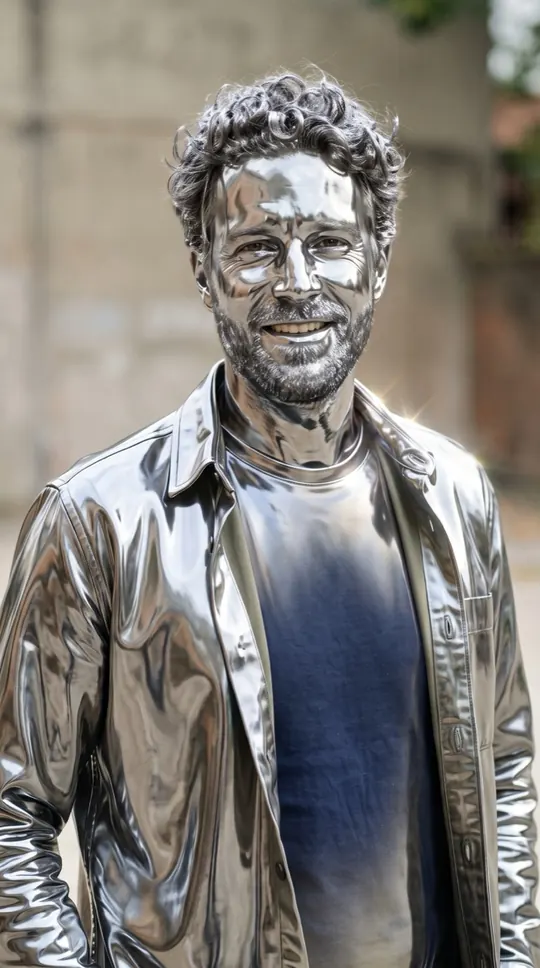
A shimmer starts at your shoulders and spreads until you are polished chrome from head to toe. Then the statue blinks and smiles. One photo, a shiny 12-second clip.

1 Add your photo

Photo 1 ยท You

Tap to add a clear selfie

Photo 2 ยท optional

To do it with someone else

One photo is enough for this effect: just you, or add a second person. No celebrities, minors or nudity. Rules

2 Pick an effect
3 Pick quality & length

This video: 17 credits ยท No sign-up needed ยท try it once from $9.90

By pressing โ€œMake the effectโ€ you confirm you are 18 or older, you have permission from everyone in the photos, and you agree to the Terms and Acceptable Use Policy.

No sign-up needed ยท Ready in about 4 minutes ยท Failed renders are refunded

SoloSolo
Made with WakePix

Turning metal AI samples

Sample scenes made with fictional characters. Your video uses your own photos.

Turning metal effect: solo, fictional characters
Solo: turning metal sample, AI-generated.

AI turning metal video: at a glance

  • One photo of you is enough. Add a second photo, or one photo of you both, to do it together.
  • Nothing to type: the Turning metal scene and its original music come with the effect.
  • A 12-second vertical 9:16 clip at 720p, ready in about four minutes.
  • Only photos of yourself or of adults who agreed to appear. Failed renders are refunded automatically.

How to make a ai turning metal video

  1. Add your photo. One clear, front-facing photo. Add a second one to do it with someone.
  2. Keep Turning metal selected. This page opens the Effects tab with it already picked.
  3. Make the effect. Download the clip when it is ready and post it.

What happens in the Turning metal clip

You stand still while a metallic finish flows over you to shimmering sound design. Once fully chrome, you come alive for a blink and a smile.

When people use it

A striking profile clip, a fitness "made of steel" joke, or a surprise reveal for a friend.

Photos that work best

A clear photo with the face fully visible works best, because the metal follows your features. The photos guide the characters; likeness may vary from render to render.

More effects

Every effect works the same way: photos in, a short wordless scene out. The effects page lists them all.

All AI video effects

More ways to use it: AI golden dissolve effect, Bullet time AI video or AI video effects.

FAQ

AI turning metal video: questions

Does it change my clothes?

Yes, they turn to chrome along with everything else, then stay that way.

Is it creepy?

It ends on a smile; most people find it cool rather than scary.

How much does a Turning metal video cost?

The same as any WakePix video: 17 credits on Fast. One-time packs start at $9.90, and failed renders are refunded automatically.

Is there talking or a real song?

No speech and no existing song: the clip has original music and sound effects made for it, so you can post it without a copyright claim on the audio.

Make your ai turning metal video

Your photos, one button, about four minutes. Credits are returned automatically when a render fails.

Make the effect