
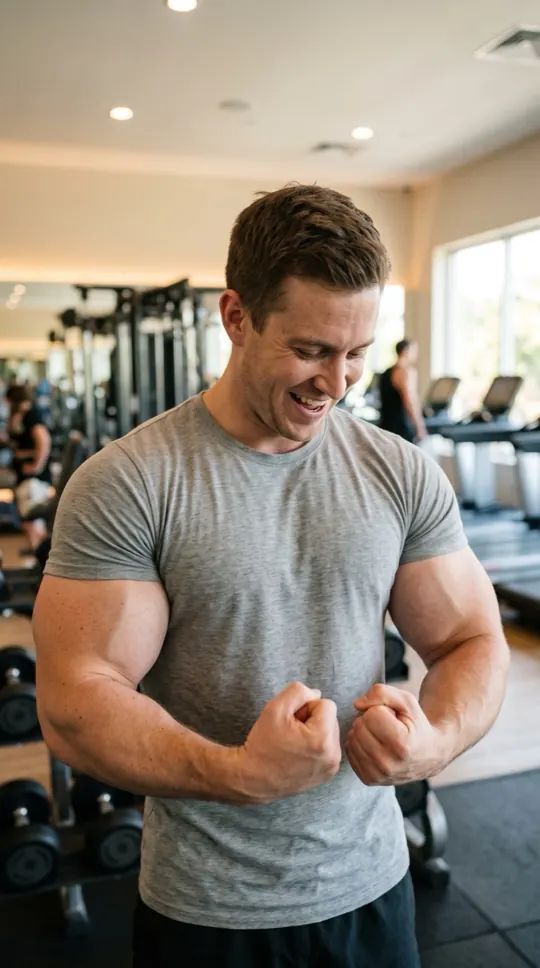
AI muscle filter: at a glance
- One photo of you is enough. Add a second photo, or one photo of you both, to do it together.
- Nothing to type: the Muscles scene and its original music come with the effect.
- A 12-second vertical 9:16 clip at 720p, ready in about four minutes.
- Only photos of yourself or of adults who agreed to appear. Failed renders are refunded automatically.
How to make a ai muscle filter
- Add your photo. One clear, front-facing photo. Add a second one to do it with someone.
- Keep Muscles selected. This page opens the Effects tab with it already picked.
- Make the effect. Download the clip when it is ready and post it.
What happens in the Muscles clip
You stand in a gym, then with a boing your arms and shoulders inflate and your t-shirt stretches tight. You flex, stare at your arms and burst out laughing to an upbeat workout beat. It is clearly an exaggerated, playful filter.
When people use it
Gym-buddy jokes, a "first day of my fitness journey" post, or a birthday roast for the friend who never stops talking about protein.
Photos that work best
A front-facing photo in a t-shirt makes the change easiest to see. The photos guide the characters; likeness may vary from render to render.
More effects
Every effect works the same way: photos in, a short wordless scene out. The effects page lists them all.
All AI video effectsMore ways to use it: AI bald filter, Bullet time AI video or AI video effects.