🎀 AI video of yourself

How to Make an AI Video of Yourself

One clear selfie is enough. Choose Solo, add your photo and WakePix puts you on stage rapping a short verse, lip-synced, in about four minutes.

1 Add your photo

Your photo

Tap to add a clear selfie

One clear, front-facing photo. You rap the whole verse. No celebrities, minors or nudity. Rules

2 Pick the stage
3 Pick quality & length

We write the verse from this line: a name and one detail make it personal. Leave it empty and it is written for the occasion you picked.

This video: 17 credits Β· No sign-up needed Β· try it once from $9.90

By pressing β€œMake my video” you confirm you are 18 or older, you have permission from everyone in the photos, and you agree to the Terms and Acceptable Use Policy.

No sign-up needed Β· Ready in about 4 minutes Β· Failed renders are refunded

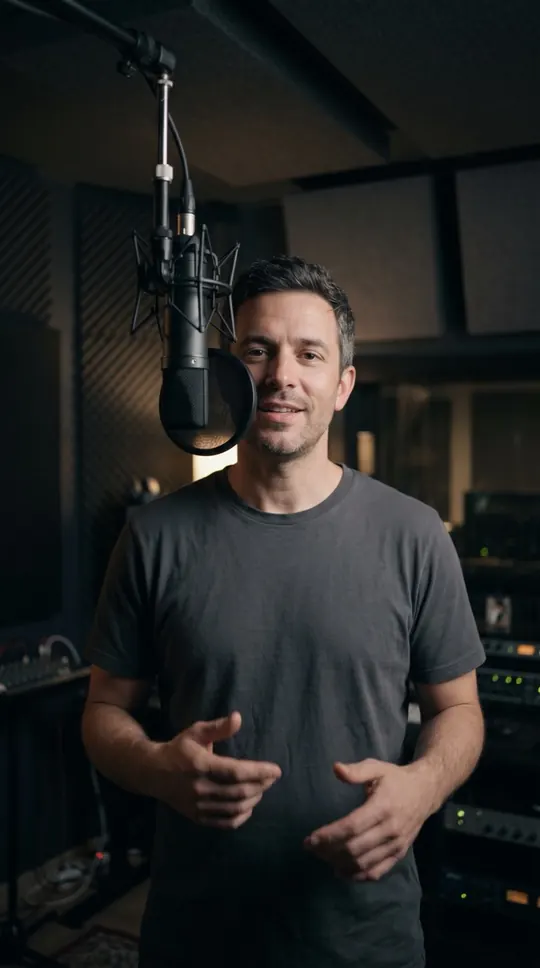
A solo verse from one ph…A solo verse from one ph…
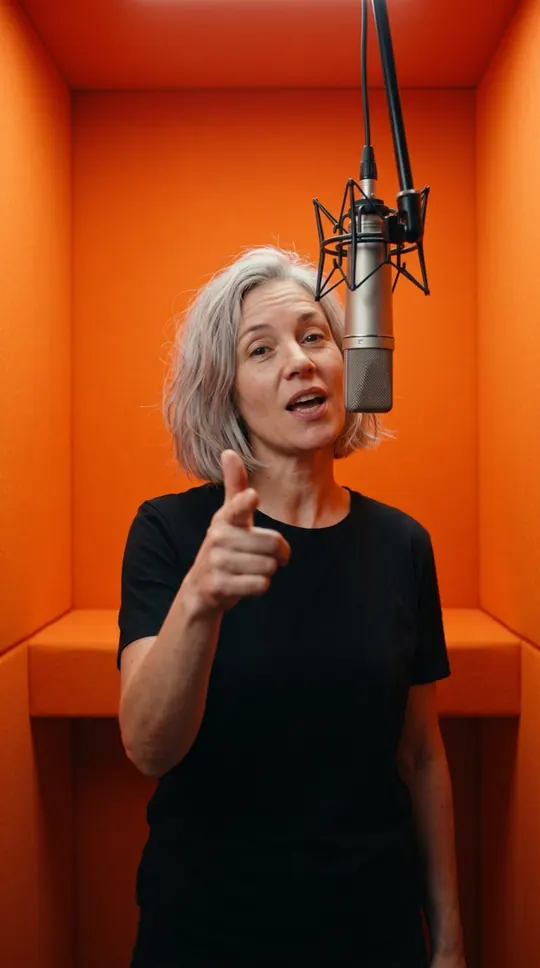
Solo in the orange boothSolo in the orange booth
Play with soundOrange Booth
Play with soundLuxury Lobby
Made with WakePix

Real stages, made from two photos

Every sample here started as two photos and one tap. Fictional characters, AI-generated.

Orange Booth
Luxury Lobby
Street Cypher
Studio Booth

AI video of yourself: at a glance

  • Solo mode needs one photo of one adult; you rap all four lines.
  • Add an optional topic and the AI writes the lyrics around it.
  • Prefer a duet? Switch to Two photos or One photo of both.
  • The result is a 12-second 9:16 video at 720p, with no app to install.

How to make an AI video of yourself from one photo

In the studio, choose Solo above the photo slot and add a front-facing selfie. Pick a stage, add a topic if you want one, and press the make button. Sign in when asked; the video renders in about four minutes.

What you can make with just you

Solo works for rap videos on any of the five stages: Orange Booth, Luxury Lobby, Studio Booth, Street Cypher and Street Freestyle. Most Effects work in Solo too; Hug, Slow dance, Kiss and Zombie love need two people.

Make one with a friend

Switch to Two photos and add one selfie each, and the two of you trade lines. If you already have a photo of you both side by side, One photo of both is quicker; the person on the left raps first.

AI rap generator

Photo tips for a better result

Use a sharp, well-lit photo where you face the camera, with your whole head and shoulders visible. Avoid sunglasses, heavy filters, masks and group shots. Photos from a phone camera are fine; HEIC photos are converted in the browser.

Is it free?

Signing up and setting up a video are free; rendering uses credits. A Fast video is 17 credits, and the one-time Try-it-once pack is $9.90. Failed renders are refunded automatically.

Only make videos of people who said yes

You can make a video of yourself or of another adult who agreed to appear. Photos of celebrities, public figures and anyone under 18 are rejected automatically.

More ways to use it: AI rap generator, Photo to video AI or AI video effects.

FAQ

AI video of yourself: questions

How do I make an AI video of myself?

Choose Solo, add one clear selfie, pick a stage and press make. It takes about four minutes.

Can I make it for free?

Setting it up is free, but rendering a video uses credits. The smallest one-time pack is $9.90 for one Fast video.

Can I use a photo of a friend?

Only if they are an adult and agreed to appear. You confirm this before you render.

Can I write my own prompt?

No. You choose the stage and an optional topic for the lyrics; the scene itself is fixed.

Do I need an app?

No. It runs in the browser on your phone or computer, and you download the finished MP4.

How long is the video?

Twelve seconds, vertical 9:16 at 720p, with four rapped lines.

Ready to see yourself on stage?

Your photos, one button, about four minutes. Credits are returned automatically when a render fails.

Make my rap video